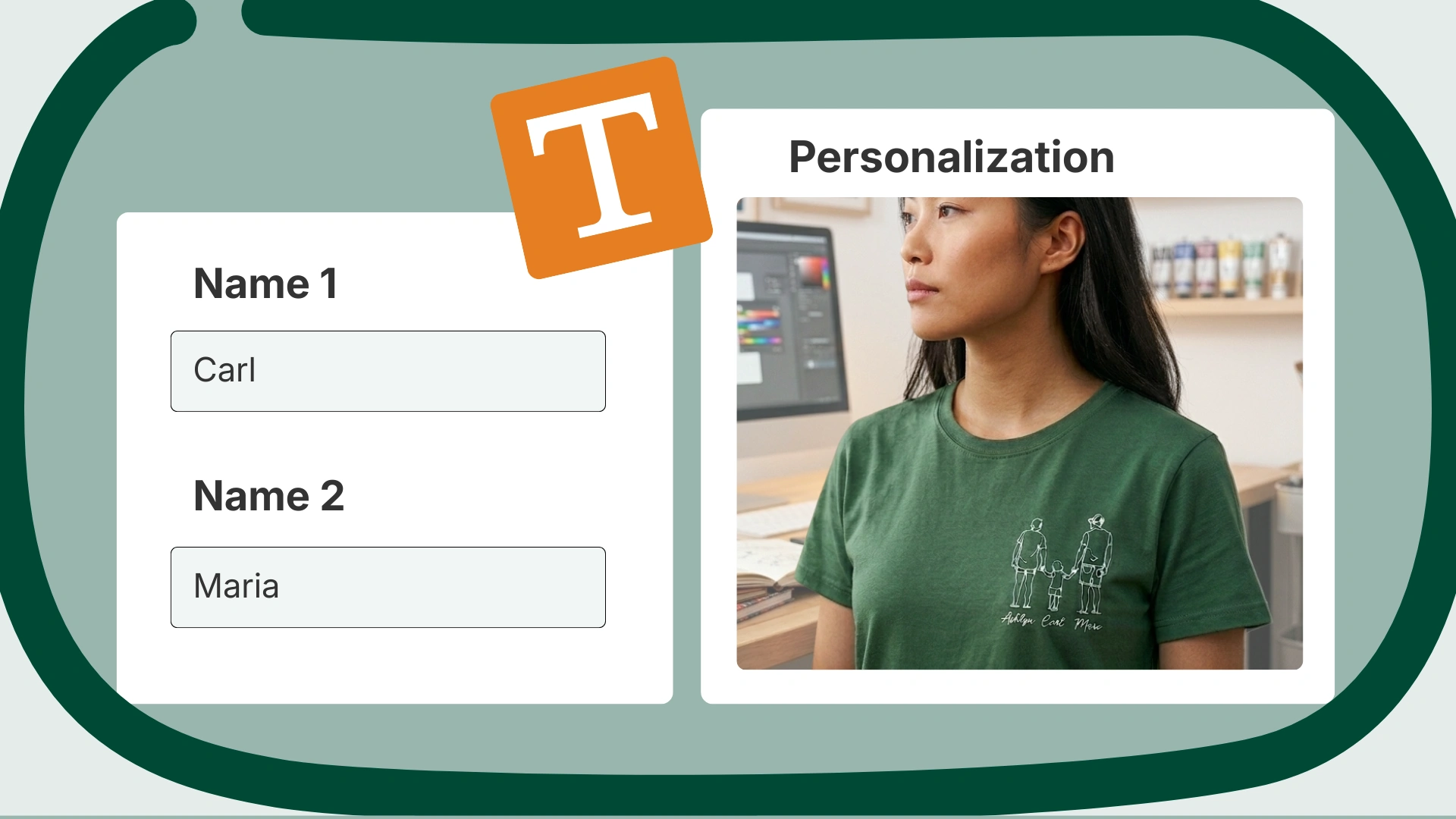
So, what is personalization on Etsy? It’s a built-in feature that lets shoppers add a personal detail, like a name, date, or photo, to a listing before they purchase it. Since Etsy is such a popular destination for gift shopping, custom and personalized products trend year-round on the platform. Shoppers love the ability to add their own special touch to everything from invitations, socks, and pillows, to custom sculptures and mementos.
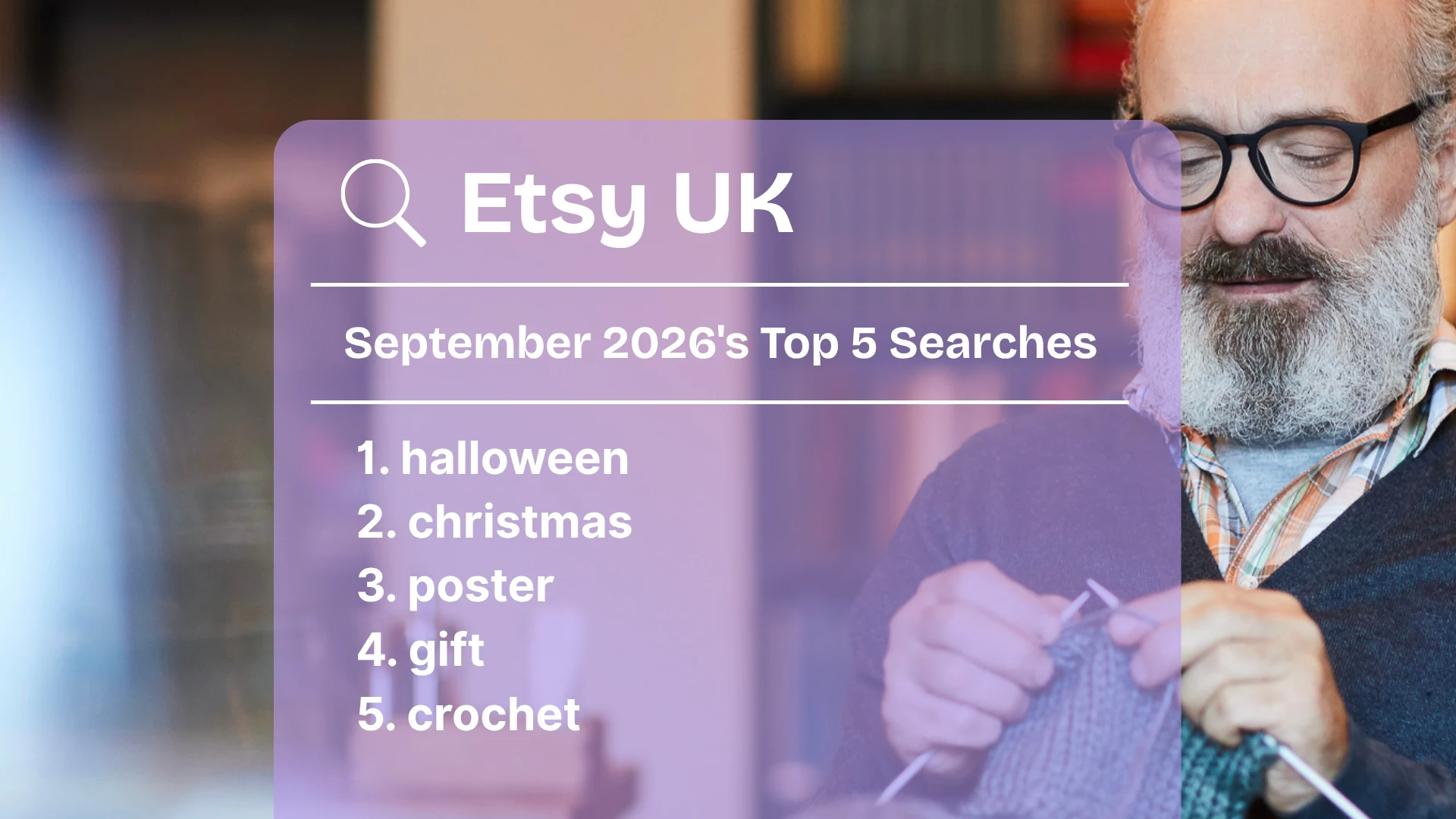
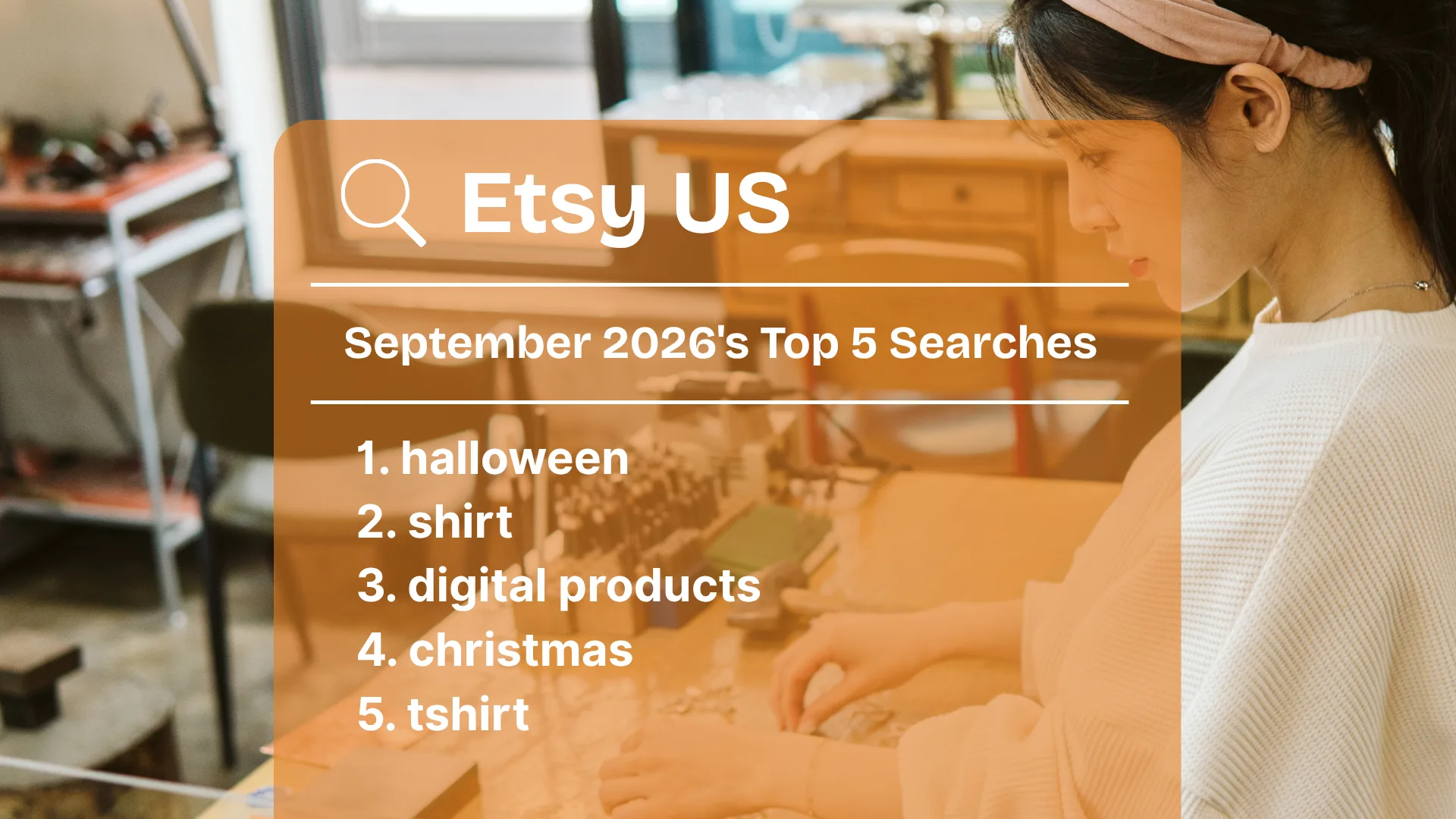
“Personalized gift” consistently ranks among the top 100 Etsy searches each month, with peaks around Mother’s Day and the holiday season. Other occasions that shoppers love to personalize gifts for include Father’s Day, birthdays, and weddings.
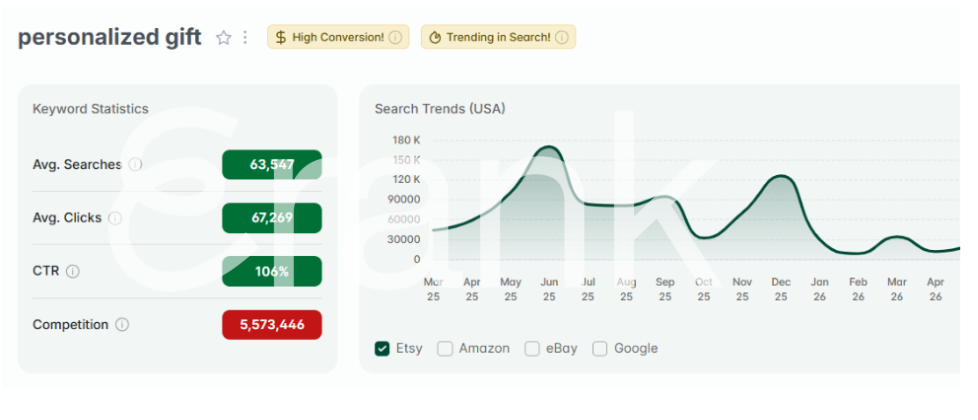
There are a few different ways to offer personalization in your Etsy listings while keeping your options clear and concise for shoppers. Having a seamless order process is one way to increase shopper confidence and prevent mishaps during production. Let’s learn how to use this feature to add personalization on Etsy.
Personalization vs. Variations on Etsy
Personalization and variations are not the same thing, even though they can look similar in your listing editor.
Variations are broader features of an item, like size and color. Shoppers can only choose from the options you’ve already set up. Etsy allows up to three variations per listing.
Personalization lets shoppers add something unique to the item itself, like a name, date, or photo.
Use variations when shoppers are choosing between fixed options that you already offer. Use personalization when you need shoppers to provide new details specific to their order. Many listings use both together: a shopper might pick a size (variation) and then add a name for embroidery (personalization) on the same purchase.
How To Offer Personalized Listings
First, choose which listing in your shop you’d like to add personalization to. Make sure that it is either a) something that you can personalize yourself (for example, something you can embroider a name onto), or b) an item that you designed using a print on demand (POD) provider that provides you with personalization options.
Open the listing editor for the Etsy listing you’ve chosen and scroll down to the “Item options” section. Here is where you can choose to offer different variations (such as color and size) and custom options (personalization). One big difference between the two is that you can sync your inventory levels with variations, but not with personalization. “Custom options” let you create up to five input fields per listing to collect personalization details from shoppers like text, images, and names.
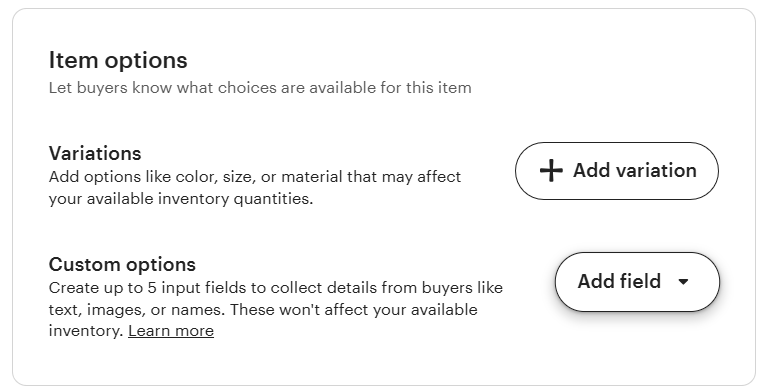
Click the “Add field” button to select the appropriate personalization field for your item. There are three options to choose from:
- A text box allows the shopper to add text for details such as names or dates
- A list of options lets the shopper choose presets, such as fonts and colors
- A file upload can be useful when you need a reference photo to create an item
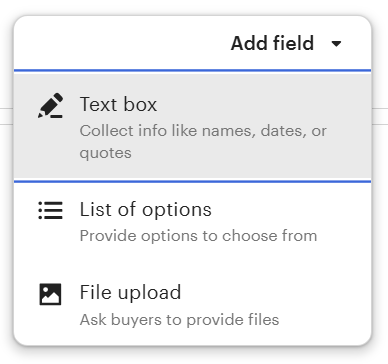
Choose the option that works best for your item, then add all of the necessary information for that personalization option in the pop-up window. Here, you’ll also be able to choose whether or not this personalization option is required before a customer can purchase the item. An example of a personalization field that may not be required is when a parent wants the name, but not the birth date, for a custom birth memento, even though you offer both. So, you could make either type of personalization optional. Click “Done” to apply the personalization option to your listing.
If you offer the same types of personalization options in your listings, Etsy lets you reuse recent menus for multiple listings.
- To edit one listing: Clicking “Add field” brings up your recent options. Simply click one to have it automatically applied to the listing you are editing.
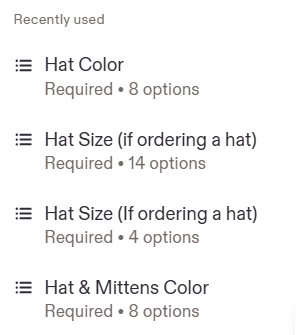
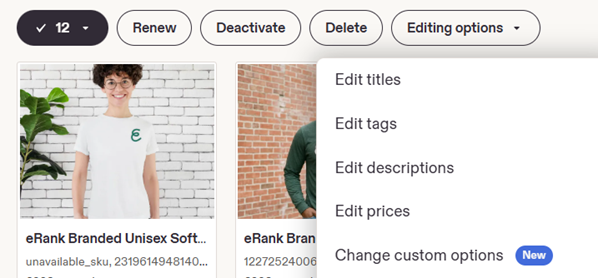
- To add the same personalization options to multiple listings at once, select all applicable listings from your Listings page, then click “Editing options”. From the drop-down menu, choose “Change custom options”.
When To Use Personalization on Etsy
You can use the personalization feature for things such as:
- Names or monograms
- Custom messages
- Preferred fonts
- Preferred colors
- An image upload
Etsy’s guidelines on when not to use this feature include:
- Getting a phone number (commonly required for international shipping). Instead, ask the buyer via Etsy messages.
- Prompting a buyer to acknowledge that they are ordering a digital item.
Etsy also allows sellers to upcharge for personalization. As of August 2026, the upcharge feature is available only for optional Text Box personalization. This could include adding a name or date to a product that doesn’t already have the additional cost built-in.
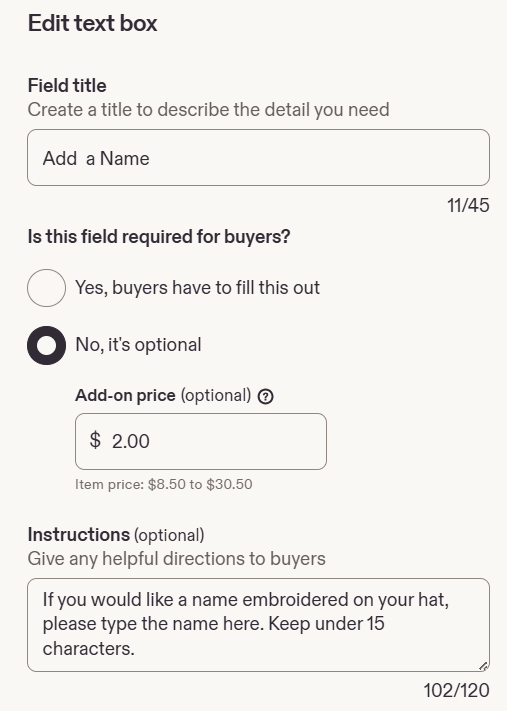
If you currently use a variation slot to charge for text-based customization, Etsy recommends switching to an optional Custom options field with add-on pricing instead. Doing this can clean up your variation options while keeping pricing more transparent for shoppers.
For more guidance and best practices from Etsy, read this help article. Sellers can also manage some personalization options on the Etsy seller app, for easy editing on-the-go.
Keep Instructions For Buyers Easy
When crafting your personalization options, keep the shopper in mind. Adding too many choices or combinations can be confusing and lead to lower conversion rates. Try to use variations for the basics of your item (such as size, color, or style), and then save personalization for those times when you really need detailed information. To learn more about keeping things simple for shoppers, read this eRank blog post.
If you consistently get questions from potential buyers about your items or options, consider adding answers to those questions within your “Frequently asked questions” area, as a graphic within your listing images, and in the listing description.
Going Beyond Etsy Personalization Options
Enabling custom order requests in your Etsy shop is perfect for those times when a shopper has a custom request that goes beyond your existing personalization options. Work with the customer via Etsy messages to create a custom listing just for them. Private listings are only visible to customers who request them, so you don’t need to worry about another person finding it in Etsy search and purchasing it.
Offering personalization in your Etsy shop can set you apart from the competition, especially when the options are clear, concise, and easy for shoppers. Ensure that the listing’s details, including its title and description, indicate that shoppers can add their special details to an item. Offering personalized items during peak shopping seasons can make gift-giving easy. And letting shoppers personalize items to their liking helps you create truly one-of-a-kind treasures.
Our team is continuously improving eRank’s tools to better serve our members. As a result, some of the content featured in this post may differ from the content featured on erank.com. Please note that quotas and data availability may differ per eRank plan.