For Etsy and other e-commerce sellers, staying ahead of the competition means finding the right keywords, spotting new trends, and optimizing your shop’s strategy. With millions of shops online, this can feel daunting. Thankfully, the eRank Chrome extension for Etsy SEO makes keyword and product research faster and more effective.
The eRank Chrome extension is primarily designed to help Etsy sellers find the best SEO for their shop. However, it works on a variety of platforms: Etsy, Amazon, Shopify, and more. It gives you real-time market insights in your browser when you visit any compatible marketplace. From keyword data to trending products and competitor analysis, our extension helps you make informed, data-driven decisions without juggling multiple tools or tabs. Whether you’re new to the Etsy platform or managing a high-volume shop, the extension saves you time and gives you a clearer view of what drives sales.
How To Install the Extension
First, get started for free by downloading the extension from the Google Chrome Web Store. Once it’s installed, log in with your eRank account. Now you’re ready to research keywords, explore product ideas, and discover market trends directly as you browse Etsy. To access the tool, click on the green “E” button on the right side of your screen. This works on any Etsy marketplace page and on other compatible platforms. It appears only when data is available.
Find Etsy Keywords and Tags in Search Results
Start your keyword research directly from Etsy’s homepage. Type in any keyword related to your listings, perhaps one of your superstar keywords. Once the search results page loads, open the extension to see analytics synced with our Keyword Tool.
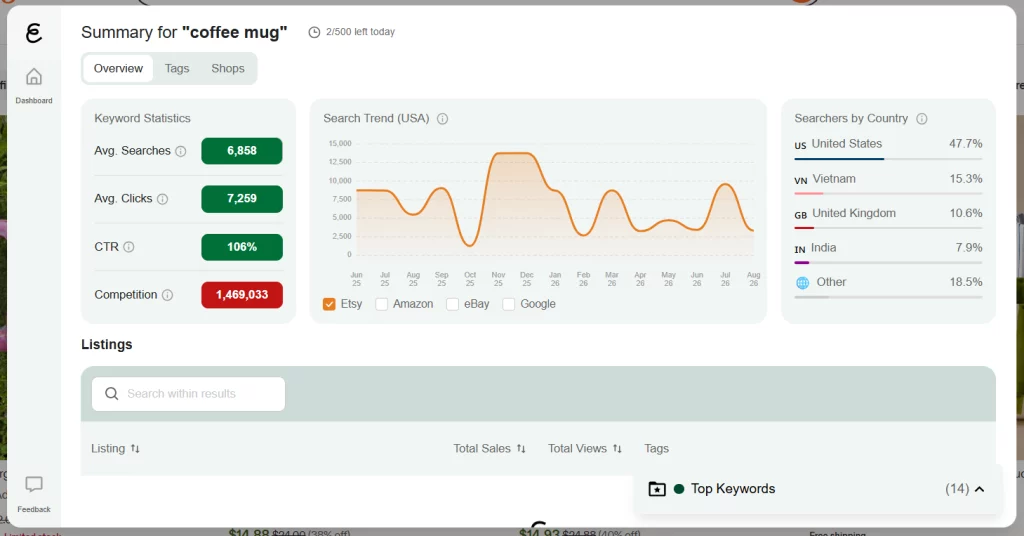
The extension shows keyword statistics such as monthly search volume and the most popular tags based on the search results for that keyword. The extension also displays metrics for the listings on that page, including total sales, views, and tags. Save any term to a keyword list for quick access later by clicking the star button.
Track Etsy Trends As You Browse
Once you’ve gathered some keyword insights, use the extension to track Etsy trends and seasonal shifts in buyer demand. Plan new listings or adjust your marketing strategy to capitalize on emerging trends and best-selling items on Etsy and in other marketplaces.
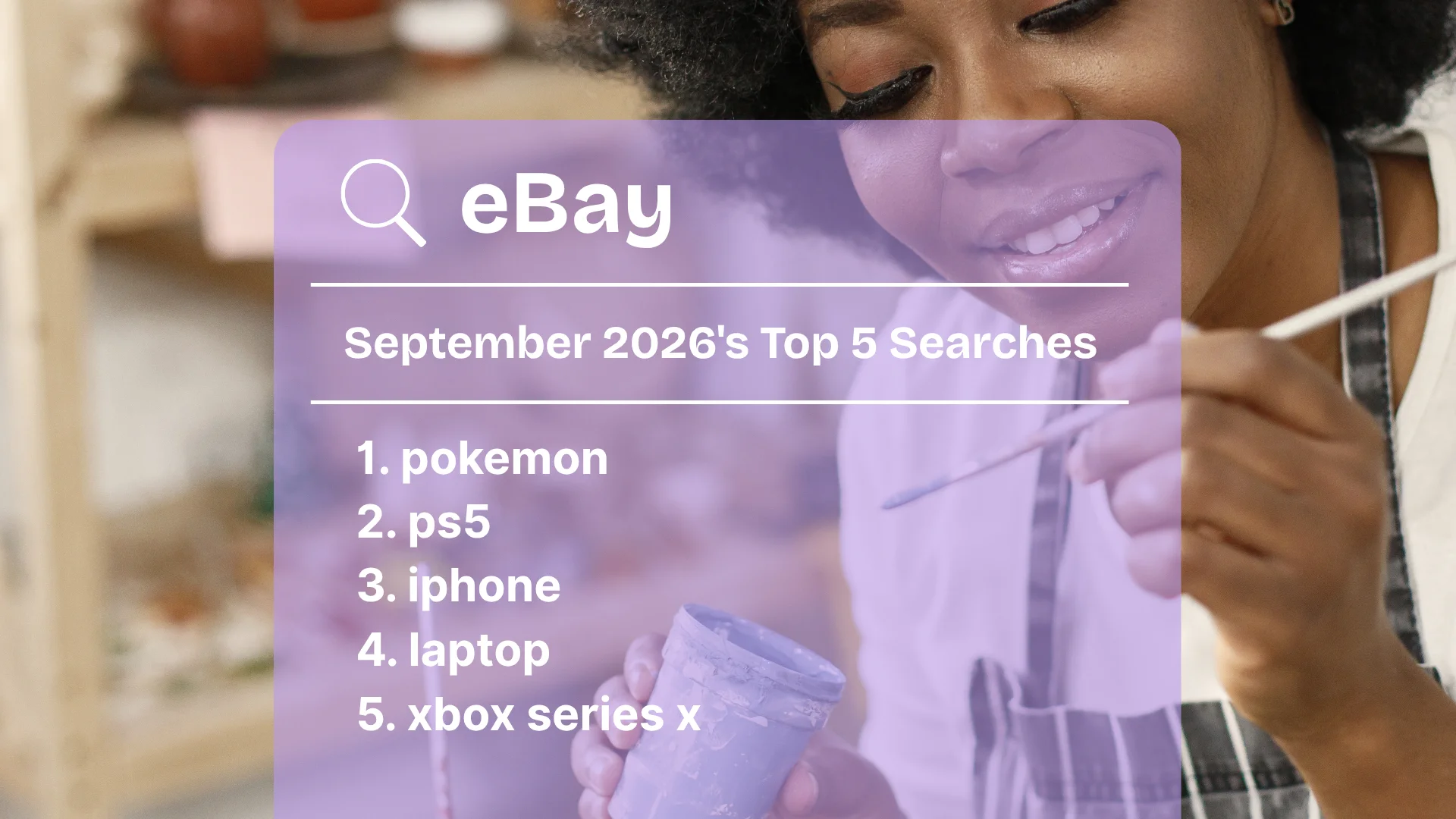
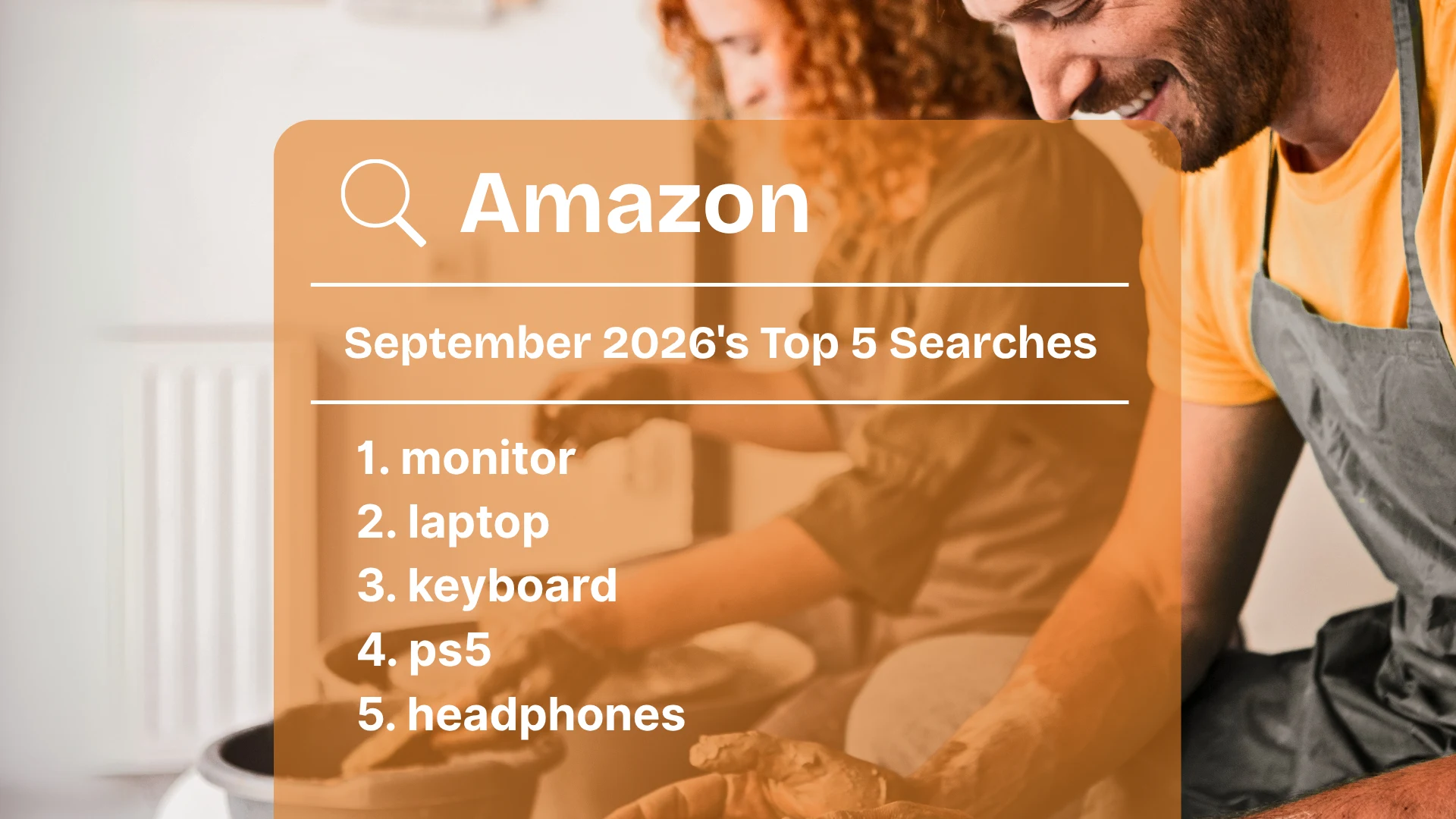
On the homepages of Etsy, Amazon, and eBay, the extension highlights trending products and shows a 15-month search-trend graph for each keyword. Just like with tags on a listing page, you can click the star next to any keyword to add it to a keyword list.
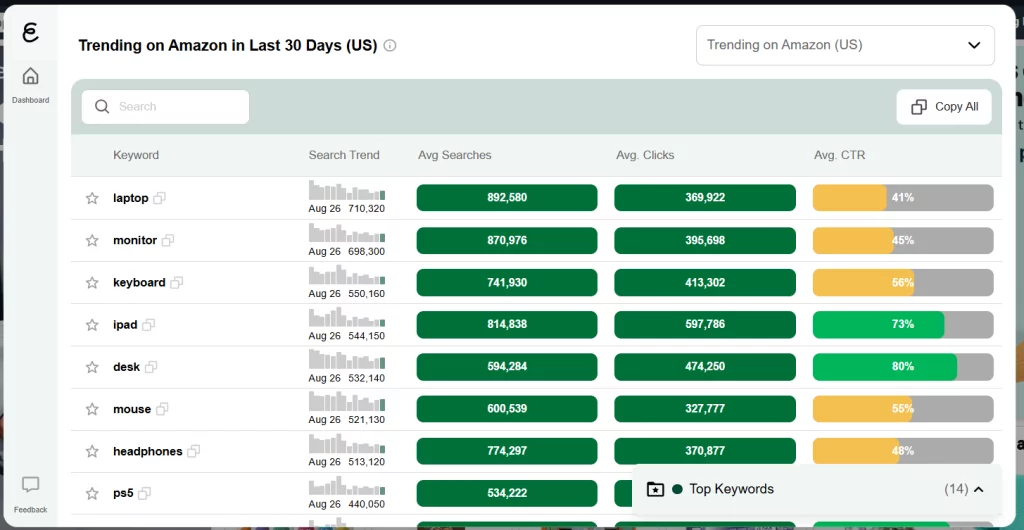
Use this information along with data from our Trend Buzz tool to see which products are trending on Etsy and find inspiration for products to sell in your own shop.
See Etsy Competitor Sales and Listing Data
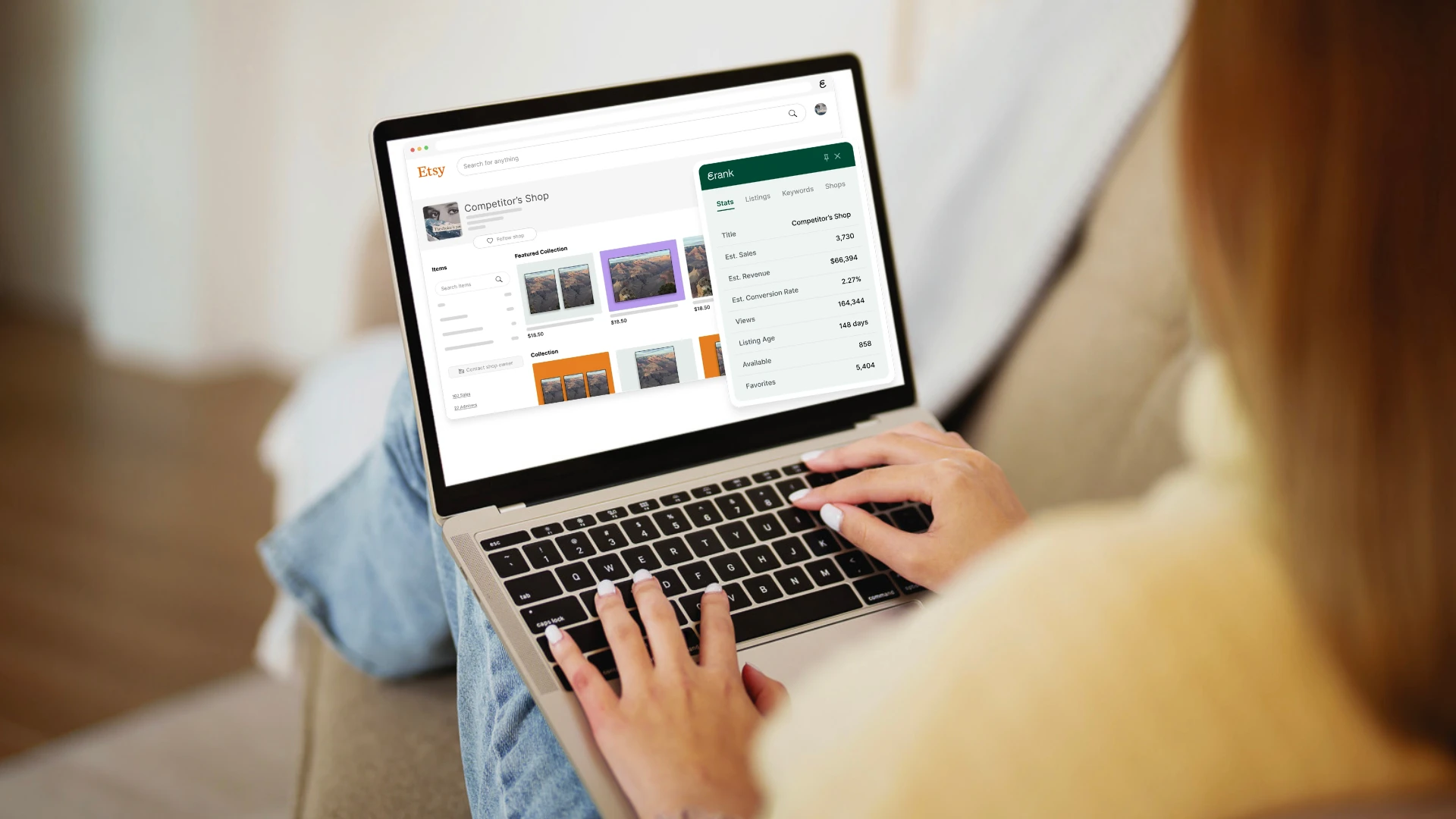
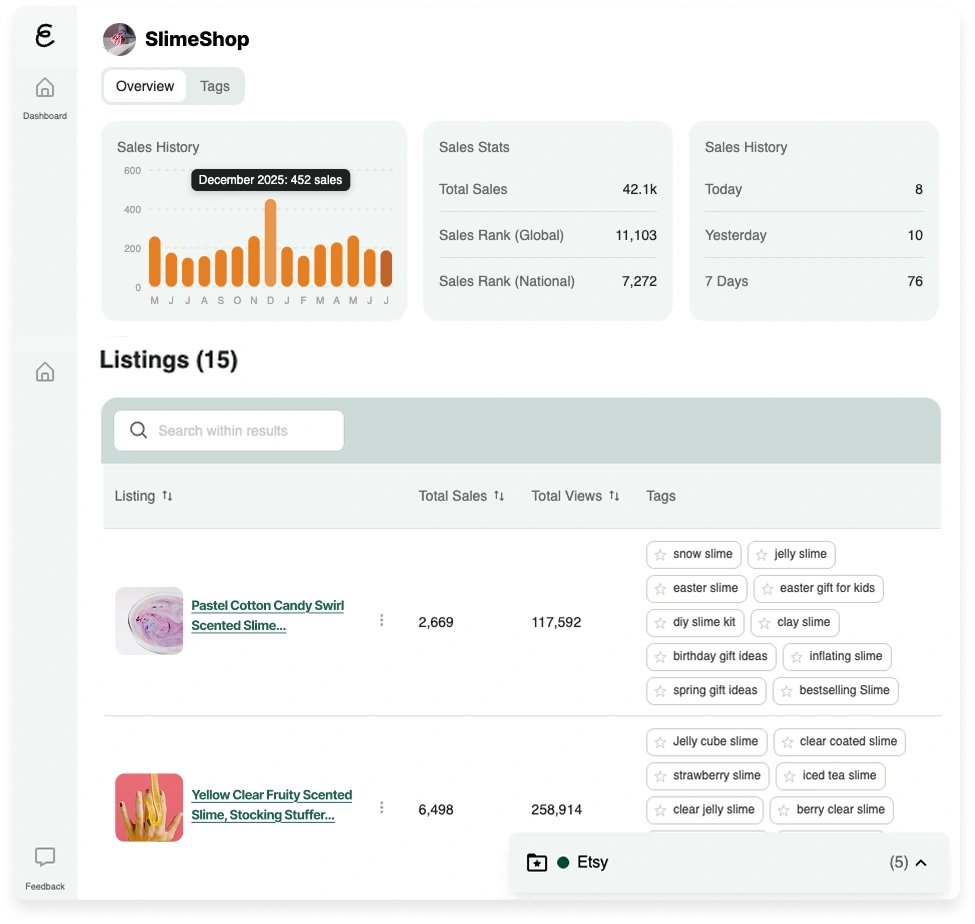
When you browse an Etsy shop, the extension lets you check its sales at a glance. It shows you notable metrics such as:
- Total sales
- Sales rank
- Recent sales history
Scroll down to see the listings that appear on the first page of the Etsy store, along with their total sales, views, and tags. This helps you learn what is popular among your competitors and which items are the shop’s bestsellers. These insights into Etsy competitors’ sales give you a clearer picture of what works in your niche. If you need inspiration for new products, competitor research can help!
When you’re on any Etsy listing page, open the extension to see a detailed analysis of that listing, including estimated sales, conversion rate, and tags. Click the green “Listing Audit” button at the bottom of the side panel to view the listing on eRank. In our Listing Audit tool, we’ll show you a breakdown of the entire listing, including its description and attributes.
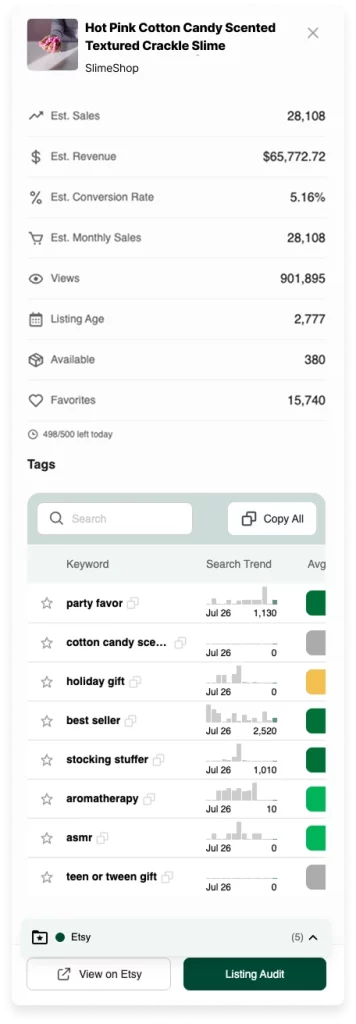
This competitor analysis helps you identify market gaps and understand what makes top-performing listings successful. Use this information to refine your own listings and find opportunities to stand out.
Optimize Your Listings With AI Listing Helper
While editing your Etsy listings on Etsy or through Printify, the extension gives you access to our AI Listing Helper tool. This feature suggests listing titles, descriptions, and relevant tags for your listings based on a short product description. It also shows the keyword search volume and competition level for each suggested tag. With these insights, you can choose keywords to experiment with and refine your Etsy SEO strategy.
When you create a new listing, you can also use AI Listing Helper together with your saved keyword lists to generate tag and title ideas and reuse your best keywords without opening additional browser tabs. This way, you can keep the same SEO workflow across multiple platforms and save time.
Start With eRank for Free
The eRank Chrome extension is perfect for Etsy sellers who want to simplify research and optimize their listings. By providing real-time data, competitor insights, and keyword analysis across various platforms, this tool saves you time and helps you make informed decisions as you build a successful Etsy shop.
Instead of switching between multiple tools, you get the data you need in seconds, leaving you more time to design, create, and grow your shop.
Find more useful tips and tutorials about the extension in our Help Center.
You can also learn more about how it works in practice here:
- Listing Helper Saves You Time: Learn how to speed up your listing creation with AI tag suggestions.
- Step-by-Step Process to Find Keywords: Discover a clear workflow for researching and saving the best Etsy keywords.
Start today with a free eRank account and see how our Chrome extension can make your Etsy SEO research easier, faster, and more effective.
Our team is continuously improving eRank’s tools to better serve our members. As a result, some of the content featured in this post may differ from the content featured on erank.com. Please note that quotas and data availability may differ per eRank plan.